Aura
A small internal application for a question people ask every day: where is everyone working?
Aura began with a shared Excel spreadsheet. People used it to record whether they would be in the office, at home, away or unavailable. The idea was simple and useful. The problems came from treating a general-purpose document as an application: concurrent editing, inconsistent entries and very little behaviour around the data itself.
I designed and built a dedicated application around that job. People record their availability, and the team can look at it by day, week or month. It runs inside Microsoft Teams, so it lives in a place people already have open. By the time I wrote about it on LinkedIn, the team was using it every day.
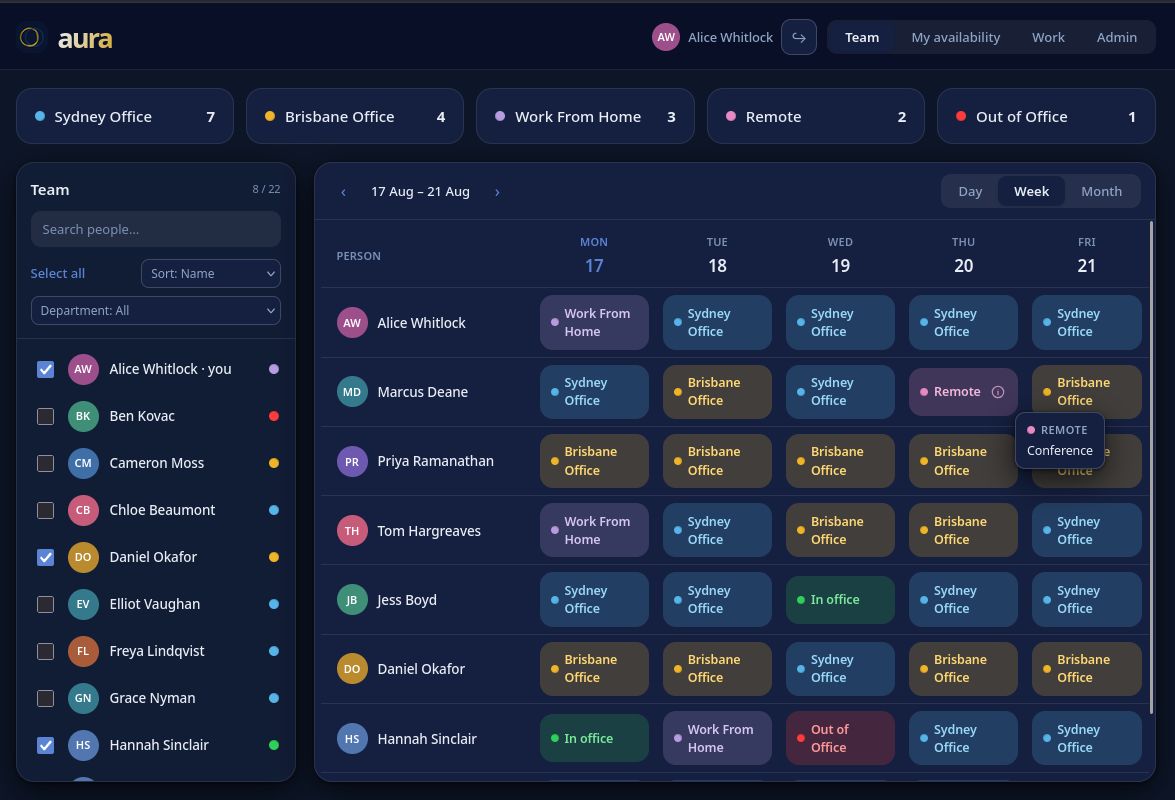
The application is the easy bit to describe
A calendar of people and dates sounds straightforward. The more interesting work was connecting it to the organisation's Microsoft environment and deciding what the application should trust. Users sign in with an existing organisational account through Microsoft Entra ID and MSAL. That removes the need for a separate password, but it is only the beginning of the access story.
The sign-in flow depends on the relationship between MSAL, the Entra application registration and its redirect URIs. The browser sends the user to Microsoft, the application acquires a token, and the server has to decide whether that token is valid for the request it has received. Token acquisition, validation and expiry are all part of the application behaving properly.
Then there is permission to change the data. Knowing who somebody is does not automatically give them permission to edit another person's entry. Identity and token claims need to be checked on the server. The application cannot simply accept a name or user identifier sent by the browser and assume it represents the signed-in person.
Working through that distinction was one of the most useful parts of the project. It connects the identity platform to a very concrete consequence: which availability records a user can change. Expired sessions and failed authentication also need a sensible path back to a working application. Those cases are part of everyday use, not just things to think about after the happy path works.
Keeping a small problem small
The structured data lives in Azure SQL Database. I used the Basic tier and the Microsoft 365, Teams and Entra infrastructure already available to the organisation. The intention was to solve the coordination problem without turning it into an expensive system to operate.
There were plenty of ordinary application decisions alongside the identity work: how availability should be represented, what the API accepts, how the interface updates after an edit, how errors are shown, and what belongs in each calendar view. A day view answers a different question from a month view. All three still need to feel like the same simple tool.
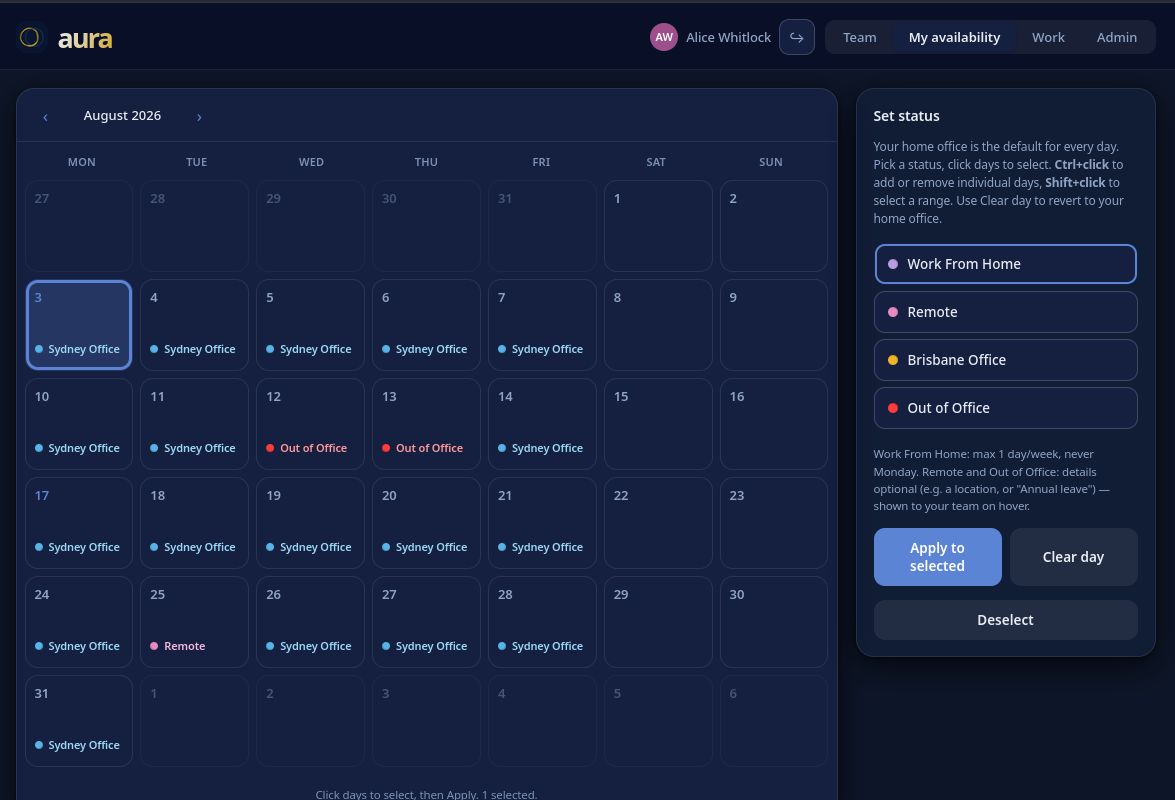
I'm pleased with Aura because it crossed the line from an idea into something used in the working day. The outcome is modest and concrete: the team has a dedicated place to see availability, with organisational sign-in and application rules around the records. The work behind that outcome gave me practical experience with MSAL, Entra application registrations, server-side identity checks, authorisation, Teams integration, Azure SQL and API behaviour.
Original LinkedIn post. Aura is an internal application; the writeup and published screenshots are the public record.