Kit
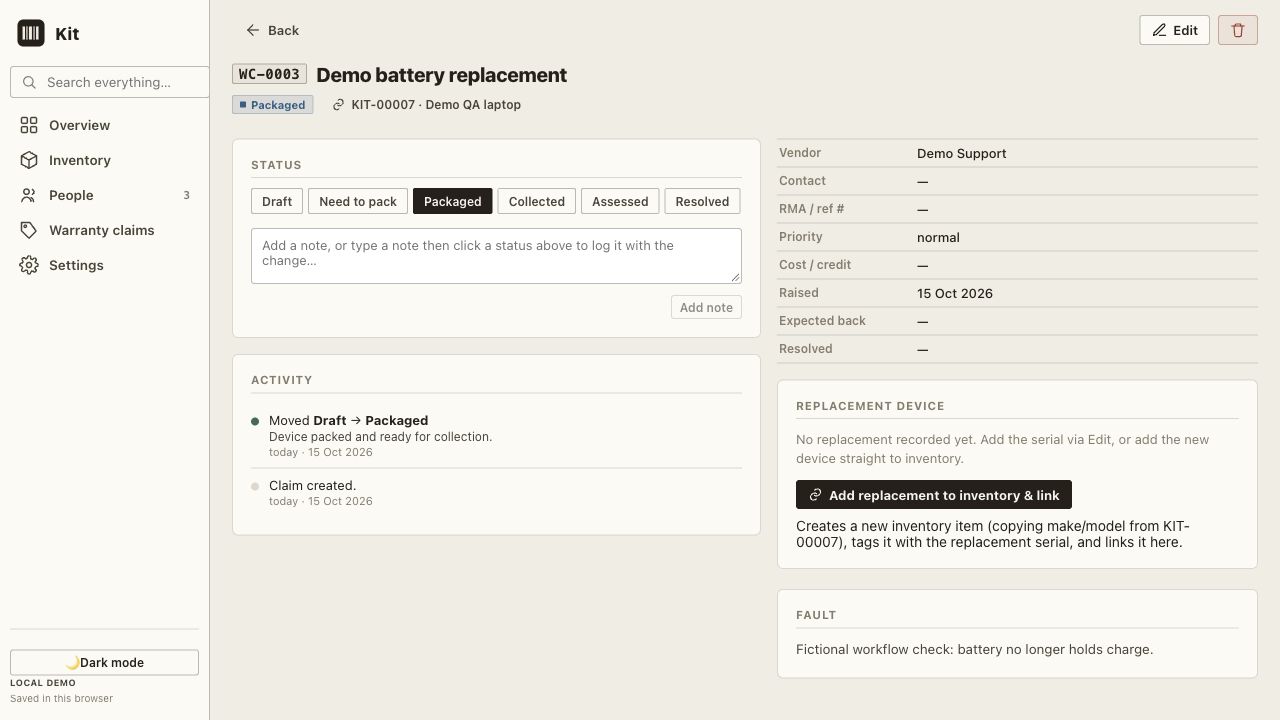
Kit is an application I've been working on that we use at work to manage IT equipment. It came out of the practical business of keeping track of Microsoft warranty returns: which device is going back, what its return reference is, whether it has been collected, and which replacement came back.
Those details belong with the asset. Kit keeps them there, alongside the person it is assigned to and a history of updates. It also generates QR labels so a physical piece of equipment can be matched to its record.
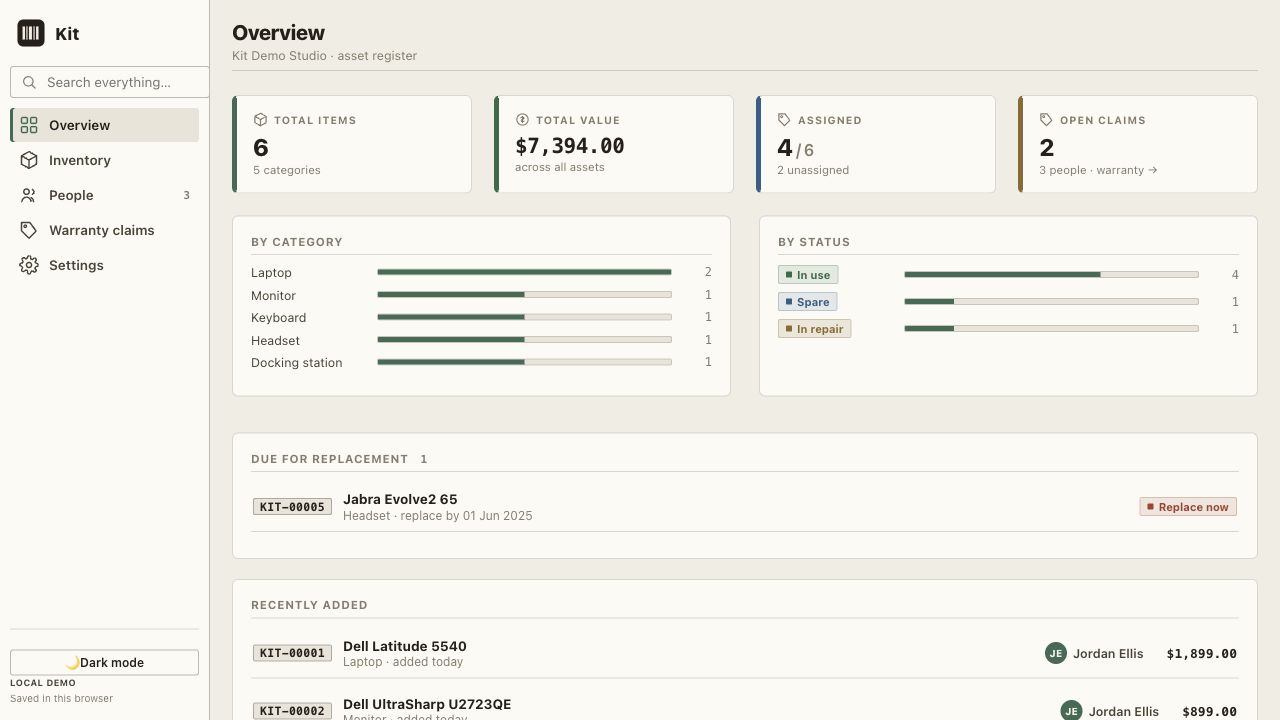
Keeping the history attached to the device
An inventory is useful, but a list of model names and serial numbers only answers part of the support question. Equipment changes hands. A device goes away for repair. A replacement arrives with a different identity. The register becomes much more useful when these events remain connected.
Kit has searchable inventory, people and assignments, with allocation history. The warranty workflow keeps claim details, notes and status history together, and links a replacement back to the original equipment. That gives the next person looking at the record a way to understand the sequence of events.
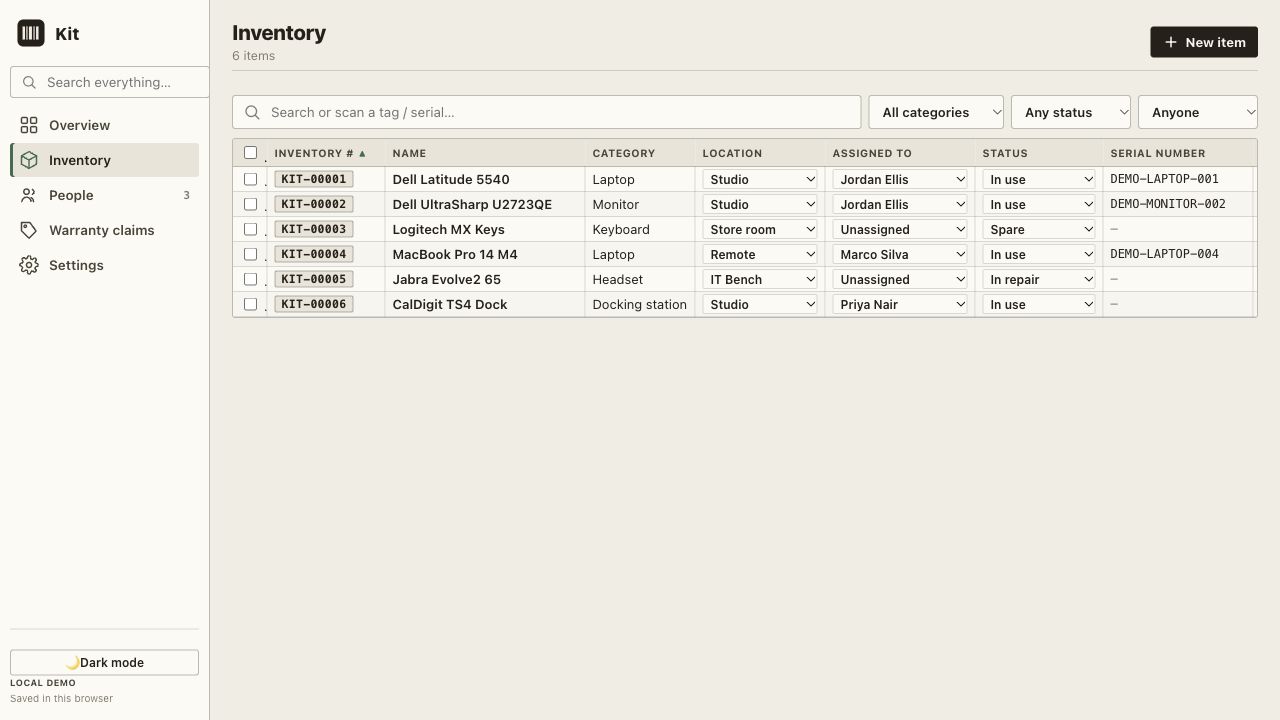
The project is deliberately rooted in everyday support work. The interesting design choices are things like where a return reference should live, what remains visible when a device is reassigned, and how to make the current state clear without throwing away the previous state.
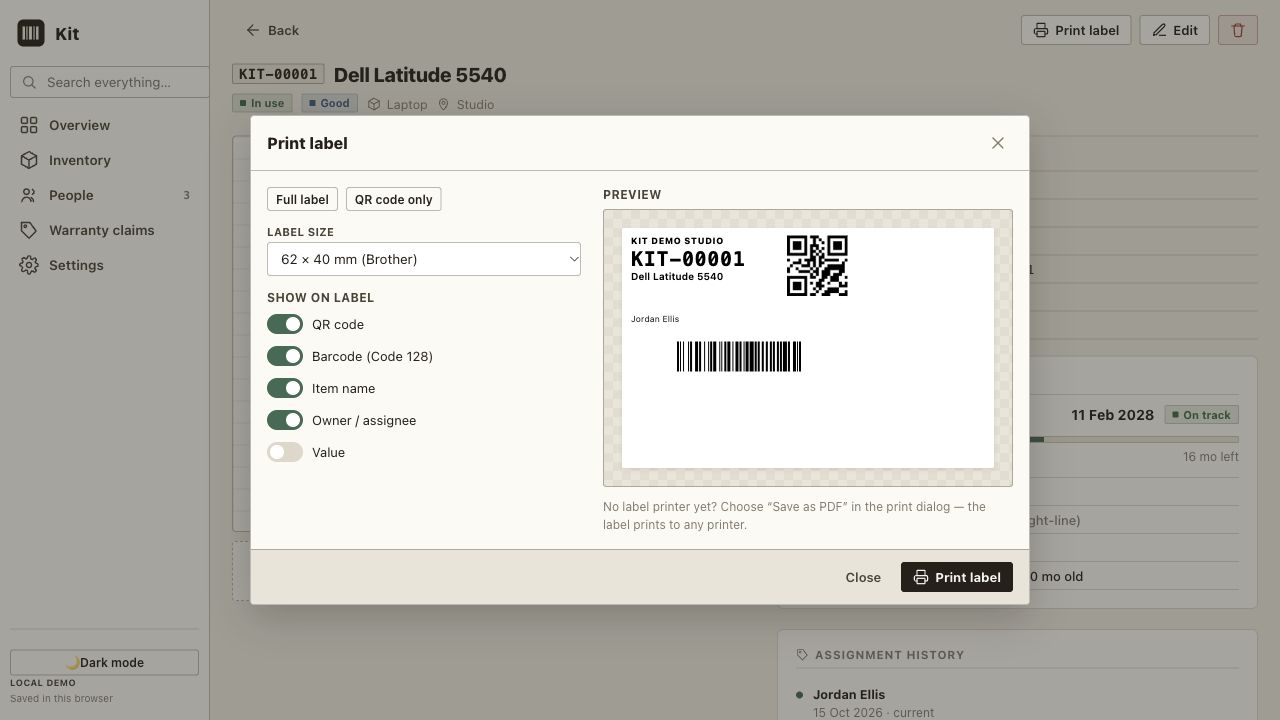
From a screen back to a physical asset
The label tools generate QR codes and Code 128 barcode previews. There are printable A4 QR sheets and support for keyboard-wedge scanner input in the local edition. A label is a small feature, but it closes an important loop: the record describes a physical item, and the person holding that item needs a quick route back to the record.
The local demonstration build uses React and TypeScript. It stores records in the browser and includes CSV export plus JSON backup and restore. It also has replacement-planning information and indicative straight-line book values. Those values are an aid to planning, rather than a substitute for an accounting system.
The screenshots show that standalone edition, which has no server, sign-in or multi-user synchronisation. It is useful for demonstrating the interface and workflows with sample data. The distinction matters when looking at a picture of an application: a screenshot shows a workflow, but it does not establish every operational capability of the system behind it.
What I like about Kit is how specific its purpose is. It keeps the equipment register and warranty returns organised, and the details it collects are details somebody doing the work actually needs.